> ## Documentation Index
> Fetch the complete documentation index at: https://docs.dotportion.com/llms.txt
> Use this file to discover all available pages before exploring further.
# JWT Verify Node
> Verify and decode JSON Web Tokens (JWT) to secure workflows in DotPortion.
# JWT Verify Node
The **JWT Verify Node** is used to **validate and decode a JSON Web Token (JWT)** inside a DotPortion workflow.
It allows you to **protect APIs**, verify client identity, and safely access token claims before executing sensitive logic.
This node is typically used **after the API Start Node** and before any protected operations.
***
## What the JWT Verify Node Does
The JWT Verify Node is responsible for:
* Verifying the JWT signature
* Ensuring the token has not expired
* Decoding the JWT payload
* Rejecting invalid or tampered tokens
It works like `jsonwebtoken.verify()` in traditional backend systems.
***
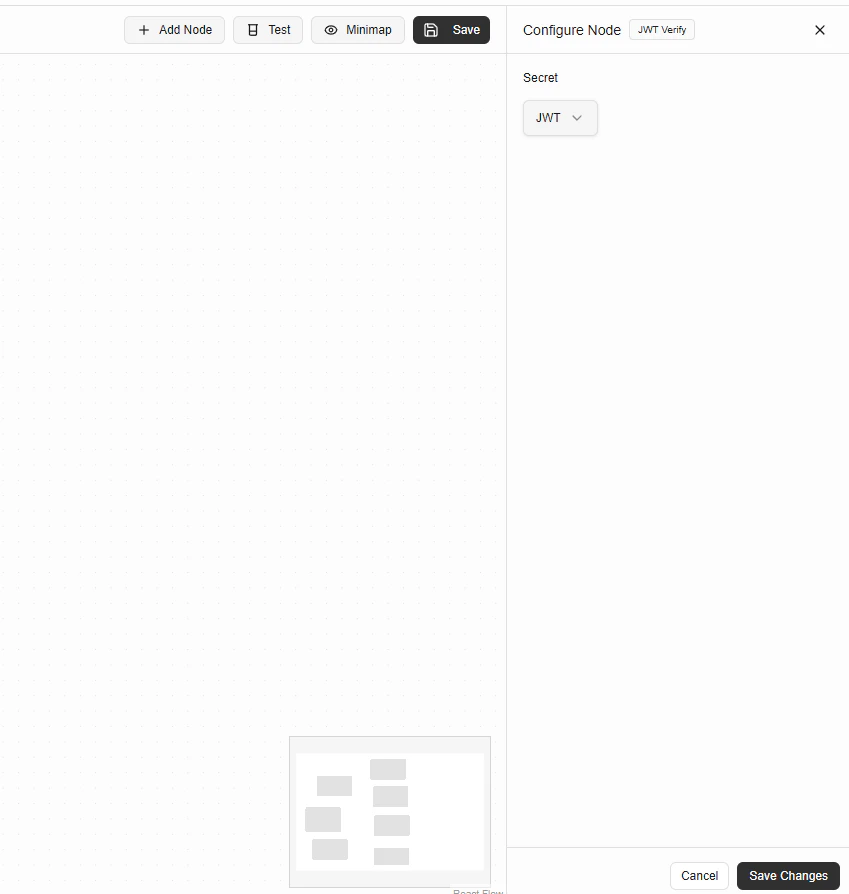 ## Configuration Fields
### Secret
The **Secret** defines which secret key is used to verify the token.
Currently supported option:
* **JWT** – Uses the platform-managed JWT secret
> 🔐 DotPortion securely manages this secret.\
> You don’t need to store or handle secret keys manually.
***
## How Token Verification Works
When this node executes:
1. The incoming JWT is read (typically from headers)
2. The token signature is verified using the selected secret
3. Token expiration (`exp`) is checked
4. If valid, the decoded payload is exposed to downstream nodes
5. If invalid, workflow execution stops with an error
***
## Input Token Source
The JWT is usually provided via the **Authorization header**:
```text theme={null}
Authorization: Bearer
```
You can extract this header using the **Request Parameters Node** before verification.
***
## Output
If verification succeeds, the node outputs the **decoded JWT payload**.
Example output:
```
{
"userId": "123",
"email": "user@example.com",
"role": "admin",
"iat": 1710000000,
"exp": 1710003600
}
```
This data can be used by:
* Condition Node
* Logic Node
* Database Node
* API Response Node
***
## Example: Protect an API
### Workflow Order
1. API Start Node
2. Request Parameters Node (extract `Authorization` header)
3. JWT Verify Node
4. Condition / Logic / Database
5. API Response Node
## Configuration Fields
### Secret
The **Secret** defines which secret key is used to verify the token.
Currently supported option:
* **JWT** – Uses the platform-managed JWT secret
> 🔐 DotPortion securely manages this secret.\
> You don’t need to store or handle secret keys manually.
***
## How Token Verification Works
When this node executes:
1. The incoming JWT is read (typically from headers)
2. The token signature is verified using the selected secret
3. Token expiration (`exp`) is checked
4. If valid, the decoded payload is exposed to downstream nodes
5. If invalid, workflow execution stops with an error
***
## Input Token Source
The JWT is usually provided via the **Authorization header**:
```text theme={null}
Authorization: Bearer
```
You can extract this header using the **Request Parameters Node** before verification.
***
## Output
If verification succeeds, the node outputs the **decoded JWT payload**.
Example output:
```
{
"userId": "123",
"email": "user@example.com",
"role": "admin",
"iat": 1710000000,
"exp": 1710003600
}
```
This data can be used by:
* Condition Node
* Logic Node
* Database Node
* API Response Node
***
## Example: Protect an API
### Workflow Order
1. API Start Node
2. Request Parameters Node (extract `Authorization` header)
3. JWT Verify Node
4. Condition / Logic / Database
5. API Response Node