

Database Node
The Database Node allows you to store, query, update, and delete data using DotPortion’s in-house managed database. This node provides the same workflow-driven database experience as the MongoDB Node, but without requiring any external database setup. DotPortion automatically handles:- Database provisioning
- Connection management
- Security and scaling
Before You Start
No external configuration is required. The Database Node uses DotPortion’s built-in MongoDB-based platform database, which is automatically available for every project. You can start using it immediately.What the Database Node Does
The Database Node is responsible for:- Performing CRUD operations on in-house collections
- Managing data persistence per project
- Mapping workflow data to database fields
- Returning query results to the workflow
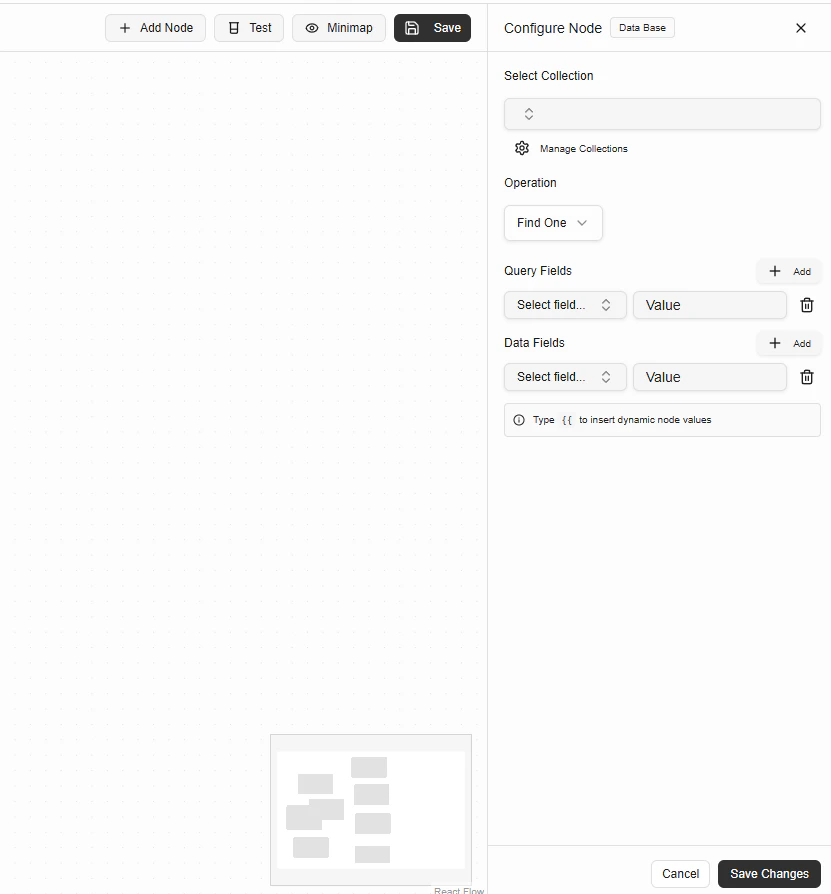
Configuration Fields
Select Collection
Choose the collection you want to operate on. Collections are scoped to your project. You can manage collections using Manage Collections.Operation
Select the database operation to perform. Supported operations include:- Insert One
- Find One
- Find Many
- Update One
- Delete One
Available Fields
Displays the schema fields for the selected collection, including:- Field name
- Data type
- Required fields
Query Fields
Query Fields define how records are matched. Used for:- Finding records
- Updating specific documents
- Deleting records
Data Fields
Data Fields define what data is written or updated. Dynamic values from previous nodes can be inserted using{{ }}.
Example:
Example: Insert a Todo
Configuration
Collection:TodoOperation:
Insert One
Data Fields
title→{{requestparameters.title}}description→{{requestparameters.description}}isCompleted→{{requestparameters.isCompleted}}
Output
The Database Node outputs the result of the operation. Example output:- Logic Node
- Loop Node
- API Response Node
Execution Rules
- No external database configuration required
- Required fields must be provided
- Query conditions must match schema
- Errors stop workflow execution