

Loop Node
The Loop Node allows you to iterate over a list of items and execute connected nodes once for each item. It enables repetitive operations such as processing arrays, bulk database actions, or applying logic to multiple records — similar to afor or forEach loop in traditional programming.
What the Loop Node Does
The Loop Node is responsible for:- Iterating over an array or list of items
- Executing downstream nodes for each item
- Exposing the current item to child nodes
- Controlling repeated workflow execution
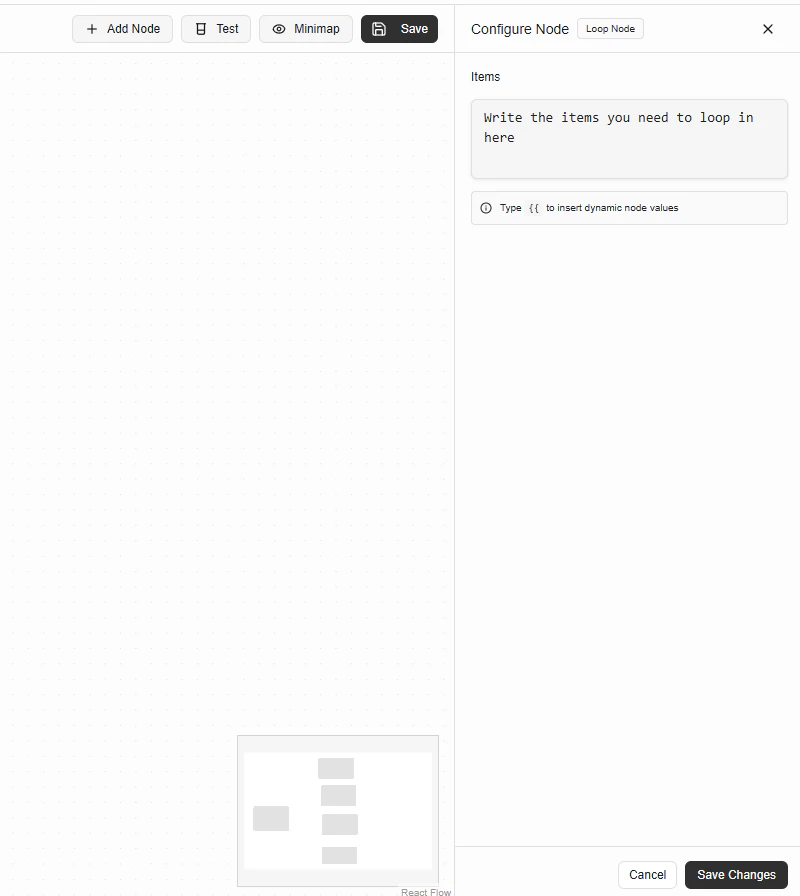
Configuration
Items
The Items field defines the list you want to loop through. It must resolve to an array. You can:- Write a JavaScript expression
- Reference dynamic values from previous nodes
Tip: Type {{ to insert dynamic node values.
Providing Items to Loop Over
Example: Loop over request body array
Example: Loop over database results
Loop Execution Behavior
- The Loop Node runs once per item in the array
- During each iteration:
- The current item is available to downstream nodes
- Connected nodes execute in order
- After all items are processed, execution continues after the loop
Accessing the Current Item
Inside the loop, the current item is available as:Common Use Cases
- Bulk database inserts or updates
- Processing lists from request payloads
- Sending notifications for multiple users
- Transforming arrays of objects
- Applying validation per item
Execution Rules
- Items must resolve to an array
- Empty arrays result in zero iterations
- Errors inside the loop stop execution immediately
- Loop execution is sequential, not parallel
Common Mistakes
- Passing a non-array value to Items
- Forgetting to return data inside loop logic
- Assuming parallel execution
- Mutating shared state across iterations
Best Practices
- Validate input before looping
- Keep logic inside loops lightweight
- Use loops only when necessary
- Prefer database bulk operations when supported
- Handle errors explicitly inside the loop